Video
✅ Introduction
The Video Widget in Astroid Framework allows you to embed videos from YouTube, Vimeo, or self-hosted video files directly into your Joomla website with ease and style.
🧩 How to Add a Video Widget
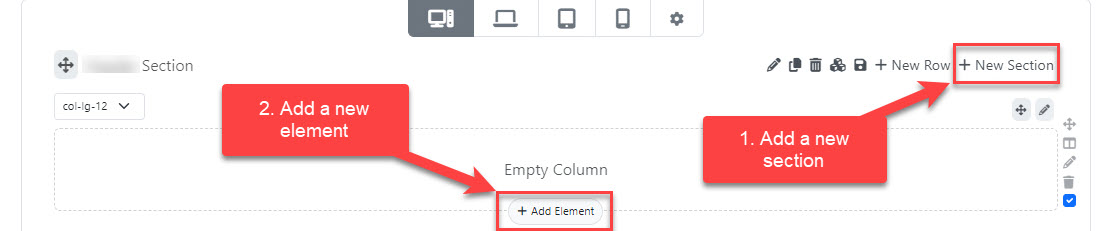
- Open the Astroid Layout Builder.
- Choose the section where you want to place the video.
- Click “Add Item”.
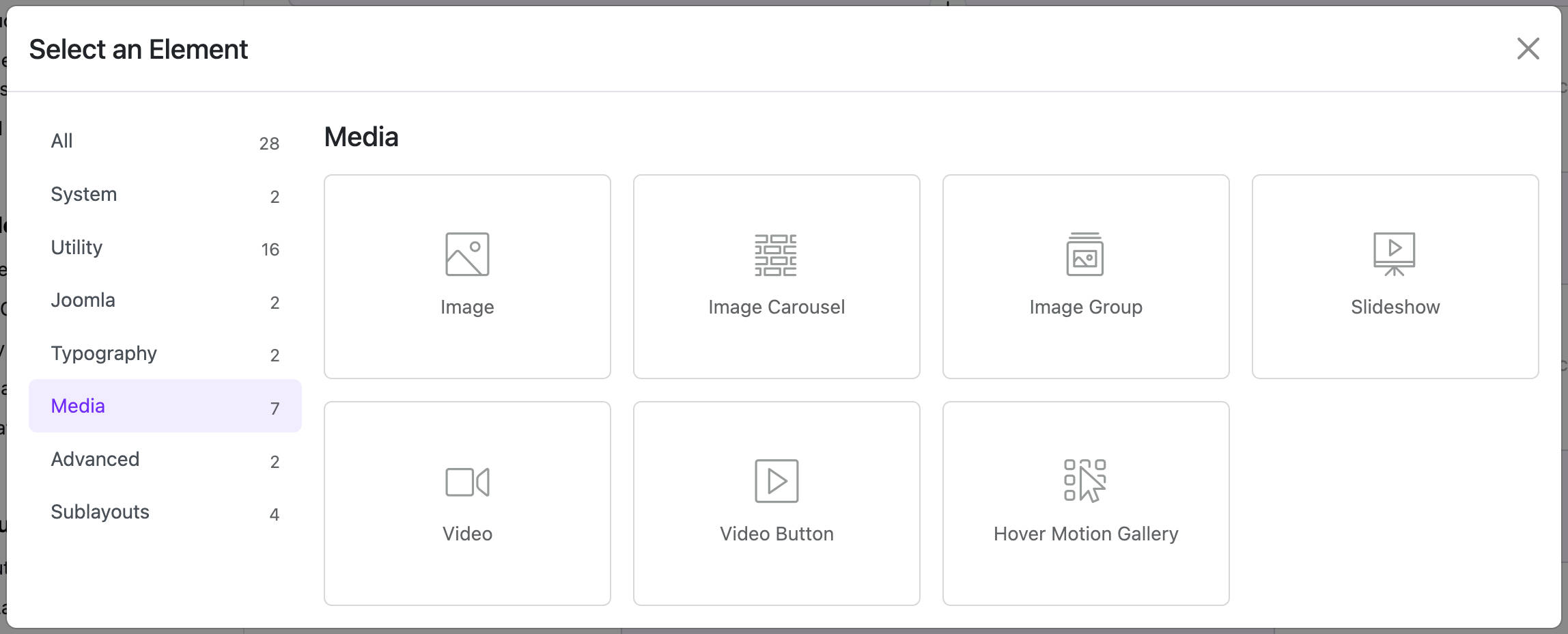
- Select “Video” from the widget list.
⚙️ Video Widget Settings
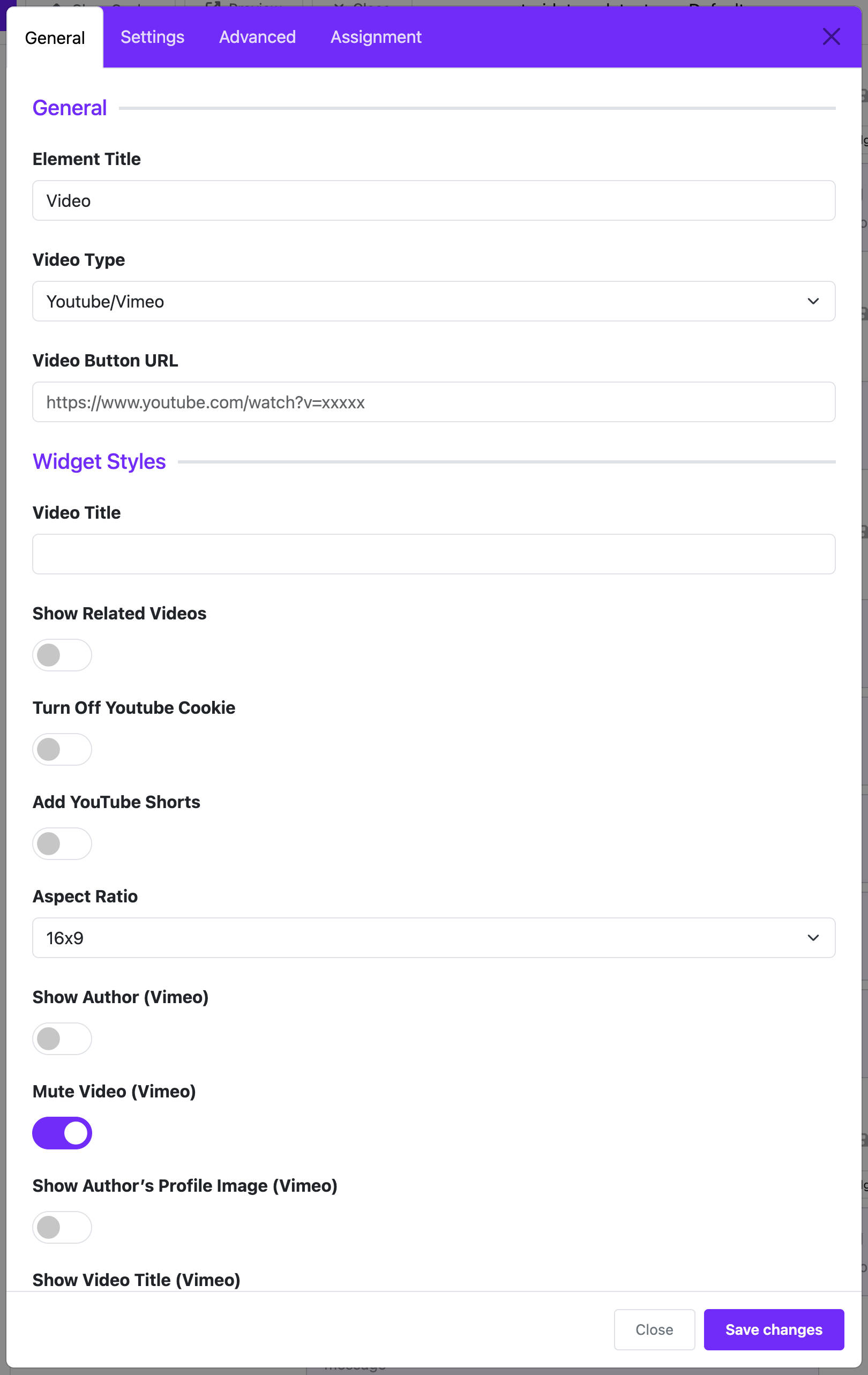
1. Video Type
Choose the source of the video:
YouTubeVimeoSelf Hosted(MP4/WebM/Ogg)
2. Video URL
- For YouTube/Vimeo: Paste the video URL (e.g.,
https://www.youtube.com/watch?v=abc123) - For Self Hosted: Provide the full path to the video file or choose a file from Joomla Media Manager.
3. Image Poster (Thumbnail)
- Applicable for self-hosted videos.
- This is the placeholder image shown before the video plays.
4. Autoplay
- ✅ Enable to let the video play automatically on page load.
- ❌ Disable to require user interaction to play.
⚠️ Note: Autoplay might be blocked by browsers unless the video is muted.
5. Loop
- ✅ The video will restart automatically after it ends.
6. Mute
- ✅ The video will play without sound.
- Useful in combination with Autoplay to comply with browser policies.
7. Controls
- ✅ Show playback controls (play, pause, volume, etc.)
- ❌ Hide controls for minimal display or background video effect.
🎨 Display Customization
- CSS Class: Add custom classes for styling with your CSS rules.
- Alignment: Align the video (left, center, right) within its container.
- Responsive: The widget is fully responsive and adapts to all screen sizes.
💡 Tips for Best Use
- Use a high-quality poster image for self-hosted videos to improve aesthetics.
- Optimize video file size for better page loading speed.
- Combine with background sections or overlays to make video content more engaging.
📌 Example Configuration
Embed a YouTube Video
- Video Type: YouTube
- Video URL:
https://www.youtube.com/watch?v=abc123 - Autoplay: ✅
- Mute: ✅
- Loop: ❌
- Controls: ✅
🧽 Conclusion
The Video Widget is a powerful and easy-to-use tool for embedding rich media into your Joomla website using the Astroid Framework. Whether showcasing a promotional video or adding visual storytelling, you can enhance user experience with just a few clicks.