Cursor Effect
Cursor Effect is one of the features that Astroid Pro offers. It helps to add visual animations that follow the mouse movement across the website. This feature works globally across the website. You can go to Site template styles > Edit your template style > Template Options > Basic > Cursor Effect. For free Astroid version, this feature is locked.
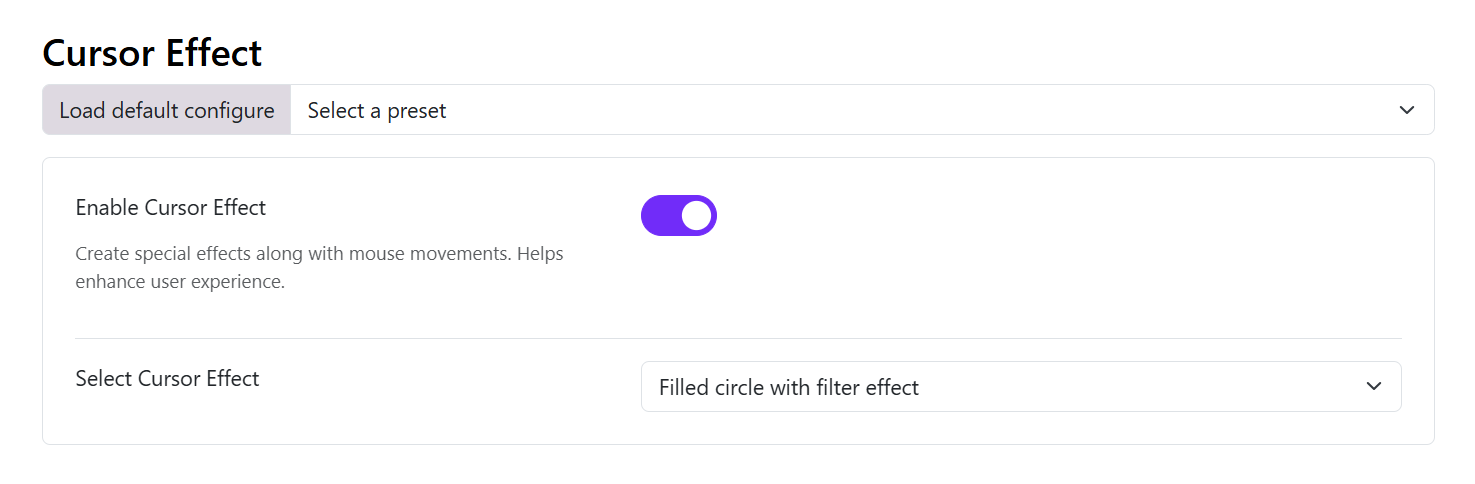
1. Enable Cursor Effect
Turn this option ON to activate the custom cursor system.
Practical Usage
Use this when:
- Building creative websites
- Designing modern landing pages
- Creating portfolio experiences
- Enhancing interactive UI
Avoid Using When
- Your audience prefers simple interfaces
- Building highly corporate or traditional websites
- Performance optimization is critical for low-end devices
2. Select Cursor Effect
This dropdown contains multiple cursor animation styles.
Below is a practical explanation for each effect.
Filled Circle
Creates a solid animated circle following the mouse pointer.
Visual Style
- Clean
- Modern
- Minimal
Best For
- Corporate websites
- SaaS landing pages
- Minimal portfolio sites
Advantages
- Lightweight
- Smooth appearance
- Less distracting
Two Circles
Displays two circular cursor elements moving together.
Visual Style
- Dynamic
- Interactive
- Stylish
Best For
- Agencies
- Interactive portfolios
- Creative studios
User Experience
Creates depth and motion feeling.
Two Circles with Filter Effect
Adds blur/glow filtering to the double-circle cursor.
Visual Style
- Neon-like
- Futuristic
- Premium feel
Best For
- Dark mode websites
- Gaming sites
- Creative showcases
Important
May slightly increase GPU rendering usage.
Filter Effect and Delayed Motion
Creates a trailing cursor with delayed movement.
Visual Style
- Smooth
- Elegant
- Cinematic
Best For
- Luxury brands
- Animation-heavy websites
- Storytelling pages
Practical Tip
Works especially well with smooth scrolling enabled.
Multiple Circles with Filter Effect
Several circles follow the cursor simultaneously.
Visual Style
- Energetic
- Experimental
- Highly animated
Best For
- Experimental design
- Interactive demos
- Digital agencies
Warning
Can become visually overwhelming on content-heavy websites.
Filled Circle with Filter Effect
A filled cursor combined with glow or blur effects.
Visual Style
- Soft glow
- Premium interaction
Best For
- Modern UI design
- Dark/light hybrid themes
- Stylish landing pages
Stroke Circle with Filter Effect
Displays an outlined cursor ring with animated filter effects.
Visual Style
- Elegant
- Lightweight
- Technical
Best For
- Tech startups
- Modern dashboard websites
- Minimal dark themes
Two Circles with Filter and Delays
Combines:
- Dual circles
- Motion delay
- Blur/filter effects
Visual Style
- Advanced
- High-end interaction
- Smooth cinematic movement
Best For
- Premium portfolios
- Interactive storytelling
- Modern agency websites
Performance Note
This is one of the heaviest cursor presets visually. Test carefully on mobile and lower-end devices.
Mobile Device Behavior
Most cursor effects are designed primarily for desktop devices because mobile devices do not use mouse pointers.
Recommendation
Use subtle effects and always test responsiveness.
Troubleshooting
Cursor Not Appearing
Check:
- Cursor Effect is enabled
- Browser cache cleared
- JavaScript optimization is not blocking scripts
Laggy Cursor Animation
Try:
- Using a lighter preset
- Disabling heavy filter effects
- Testing without additional animation libraries
Cursor Looks Incorrect on Mobile
This is expected in some cases because touch devices do not support traditional cursor behavior.