Cookie Consent
The Cookie Consent feature in Astroid Framework allows you to display a notification banner informing users about cookie usage and collecting their consent—important for compliance with regulations like GDPR.
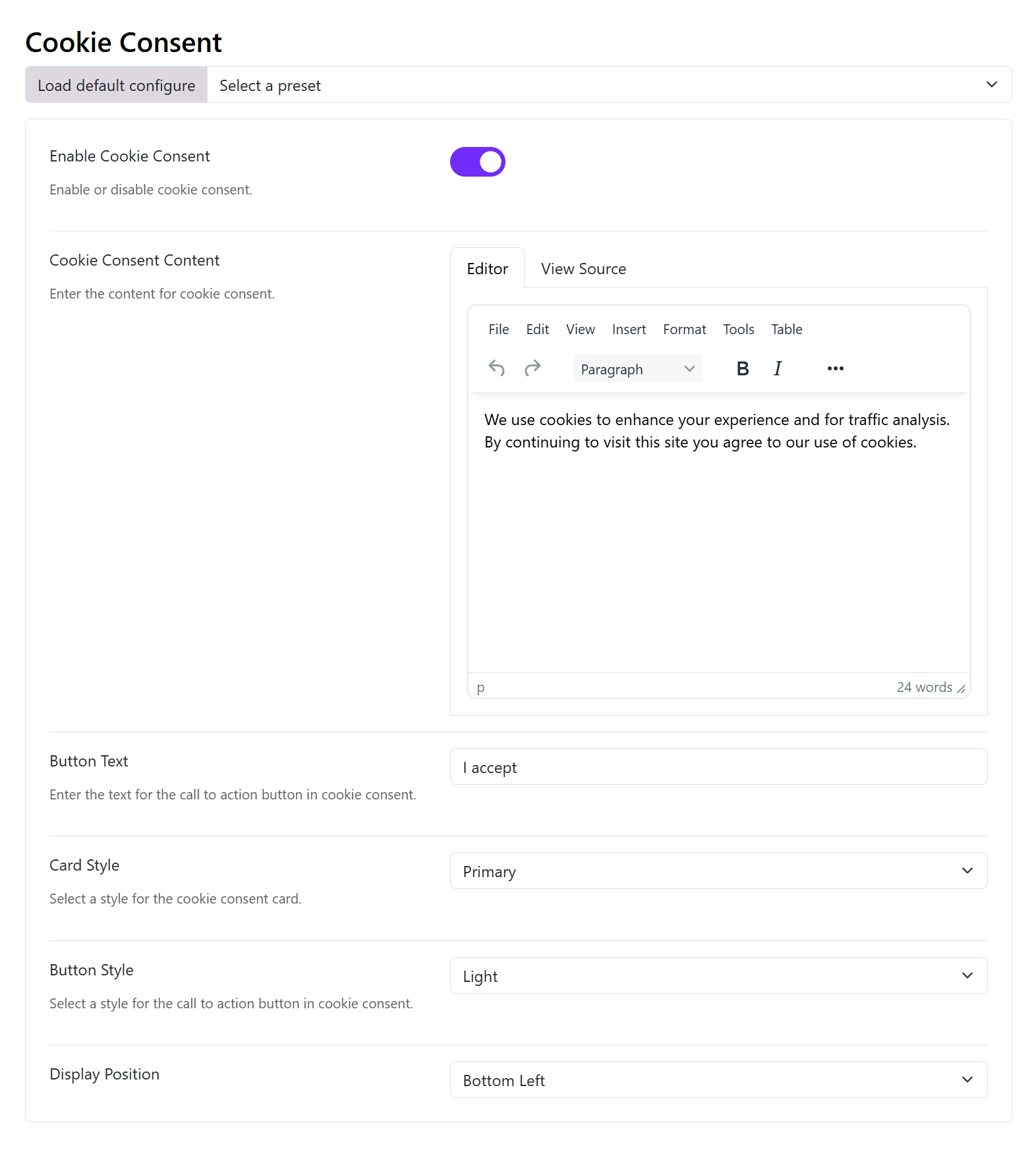
1. Enable Cookie Consent
Enable Cookie Consent: Enable or disable the option.
- Toggle ON → activates the cookie consent banner on your website
- Toggle OFF → disables it completely
👉 Use this when your site uses tracking tools like Google Analytics or marketing cookies.
2. Cookie Consent Content
Option: Cookie Consent Content (This is the main message displayed to users)
Editor Tabs:
- Editor: Visual WYSIWYG editor
- View Source: Edit HTML directly (for advanced customization)
Example:
We use cookies to improve your browsing experience, analyze traffic, and personalize content.
By continuing to use this website, you agree to our use of cookies.
Pro tips:
- Add a Privacy Policy link
- Keep it short and clear
- Mention purpose (analytics, personalization, etc.)
3. Button Text
Button Text: Go with the default text I accept or You can change to new button text, just should keep it short.
- “Accept”
- “Accept All Cookies”
4. Card Style
Card Style: Controls the background style of the consent box.
You can choose one of styles available in the drop-down list, that is suitable for your website's color scheme:
- Primary
- Secondary
- Success
- Danger
- Warning
- Info
- Light
- Dark
5. Button Style
Button Style: Controls the appearance of the accept button.
There are also many options available. Choose one that ensure good contrast for accessibility.
- Primary
- Secondary
- Success
- Danger
- Warning
- Info
- Light
- Dark
6. Display Position
Display Position: This controls where the cookie banner appears:
Choose one option available:
- Bottom Left
- Bottom Right
- Bottom
Limitations of Astroid Cookie Consent
Astroid’s built-in system is basic:
- ✅ Shows consent notice
- ✅ Stores acceptance
- ❌ No granular cookie control (analytics/marketing categories)
- ❌ No reject option by default
👉 For advanced compliance, consider integrating:
- Cookiebot
- Complianz
- Joomla cookie extensions