Parallax Effects
How Astroid Implements Parallax
Parallax is a visual scrolling effect where the background moves slower (or stays fixed) and the foreground content (text, modules) scrolls normally. In Astroid, parallax is not a standalone feature toggle. It’s achieved through background settings in Sections. This creates a depth illusion (3D-like feel) instead of a flat page. Besides, it's ideal for:
- Hero sections
- Call-to-action blocks
- Landing pages
Background Image + Attachment
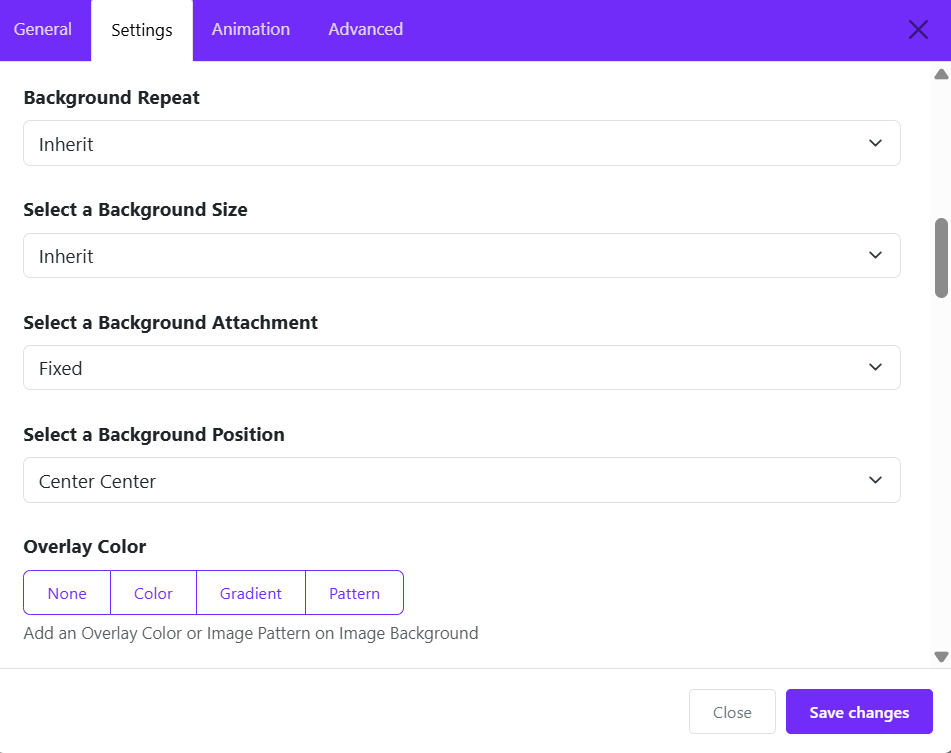
From Astroid layout, you can edit a section > Settings
-
You can choose a background type: image or video
-
Then control its behavior with:
- Background Attachment
- Background Position, size, repeat, overlay, etc.
👉 The key option for parallax is:
Background Attachment = Fixed: This makes the image stay in place while content scrolls → classic parallax effect.
Enable Parallax Effect Option
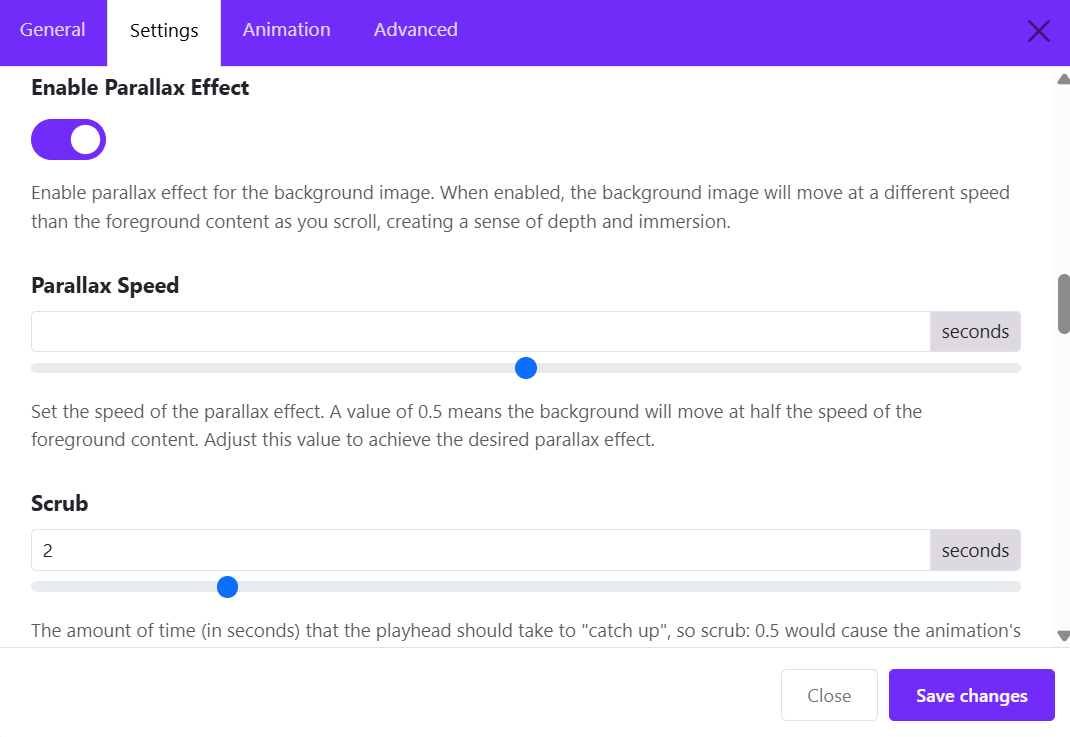
After uploading a background image, you can enable the parallax option:
- Enable parallax effect: Enable parallax effect for the background image. When enabled, the background image will move at a different speed than the foreground content as you scroll, creating a sense of depth and immersion.
Parallax Speed
Parallax Speed: Controls how fast the background moves relative to content.
Example values:
- 0.5 → background moves slower than content (most common)
- 1 → same speed (almost no parallax effect)
- less than 0.5 → very slow, subtle effect
- greater than 1 → faster than content (can feel unnatural)
📌 Recommendation:
- Use 0.3 – 0.6 for smooth, professional feel, and avoid extreme values unless for creative effects.
Scrub (seconds)
Scrub: Controls how smooth/delayed the animation follows scroll.
- Lower value (e.g. 0 – 0.5) → animation follows scroll immediately
- Higher value (e.g. 1 – 3) → animation has a delay / easing effect
📌 Recommendation:
- 0.5 – 1.5 → smooth and responsive
- 2+ → cinematic but slightly laggy feel